Precavision
Release notes
Stay up to date with the latest updates on our PPE detection product
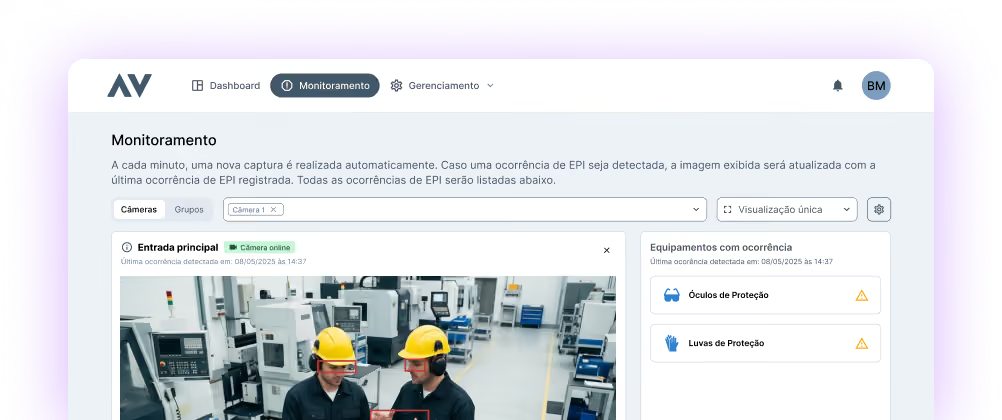
What's new
Precavision - Version 1.2.1
We continue to evolve PrecaVision based on real platform usage and our partnership with clients. In version 1.2.1, we enhanced the notification service and the visualization of monitored areas, bringing more control, reliability, and support for security audits.
1. Camera Operating Hours
Now you can configure which camera notifications you want to receive and through which channel, simply and flexibly.
2. Scheduled pauses
You can schedule periods when one or more cameras stop monitoring, ideal for foreseen situations such as inspections, maintenance, or events where the use of PPE is not mandatory. During the scheduled pause, the selected cameras do not capture images or record incidents, and the pause overrides the configured operating hours.
3. Quick camera pause
For unforeseen situations, such as a last-minute inspection, the administrator has a pause button directly on the camera monitoring screen. The pause takes immediate effect, and monitoring can be resumed with a single click.
4. Detection Feedback
The old error flagging action has been replaced by a more balanced feedback system: it is now possible to evaluate each detection positively or negatively, using neutral language. Each occurrence accepts a single piece of feedback, which is saved and visible when returning to the occurrence. For administrators, dashboards now display and filter occurrences by feedback type.
5. Multi-language support
PrecaVision is now available in Portuguese and English, including the interface, emails, and notifications.
Precavision - Version 1.2.1
We continue to evolve PrecaVision based on real platform usage and our partnership with clients. In version 1.2.1, we have enhanced the notification service and the visualization of monitored areas, bringing more control, reliability, and support for security audits.
1. Customizable camera notifications
Now you can configure which camera notifications you want to receive and through which channel, simply and flexibly.
2. Region delimitation recorded in the event
We now store, for each event, a "snapshot" of the camera's monitoring areas at the time of capture.
Precavision - Version 1.2.0
With this update, we have evolved PrecaVision to further support the strategic management of your monitoring. We've introduced improvements that increase agility in camera monitoring and facilitate data analysis, supporting daily operational decision-making.
1. Exporting incident reports
PrecaVision now allows the export of custom incident reports directly to Excel. This feature was designed to enable the transformation of raw data into operational intelligence.
2. Camera status notifications
Maintain full visibility into your system's technical health. PrecaVision will now automatically notify administrator users via email whenever there is a change in a camera's connection status or calibration.
3. Smarter and more accessible filters
We've redesigned how you interact with data. Filters, which were previously scattered across the menu, are now intuitively grouped alongside the incident list.
Precavision - Version 1.1.0
In this update, we've made PrecaVision even more efficient for your daily operations, with greater precision in incident detection, faster user follow-up, and increased flexibility for use in various environments.
1. New Notification Service
It now notifies users via email and in-system notifications whenever a new incident is detected, ensuring faster follow-up and action.
2. Image Area Delimitation
This allows you to define regions within the camera's field of view to segment PPE monitoring or configure passage areas, providing greater precision and fewer unnecessary alerts.
3. Detection error reporting
Now you can report errors directly within the incident, with just a few clicks, contributing to the continuous improvement of the model's accuracy.
4. Integration with analog cameras via DVR
Expands the system's coverage by enabling the registration and operation of analog cameras through DVR connection.